
Business internet for clinics and diagnostics
A diagnostic centre sends far more than it receives. A scan is hundreds of megabytes going out to a radiologist who is not in the building, and the patient is waiting for it.
- 1:1 uncontendedThe bandwidth is yours
- SymmetricUpload matches download
- 99.5% uptime SLAWith a 4 hr fault response target
- Surveyed per siteA free survey, then a written quote
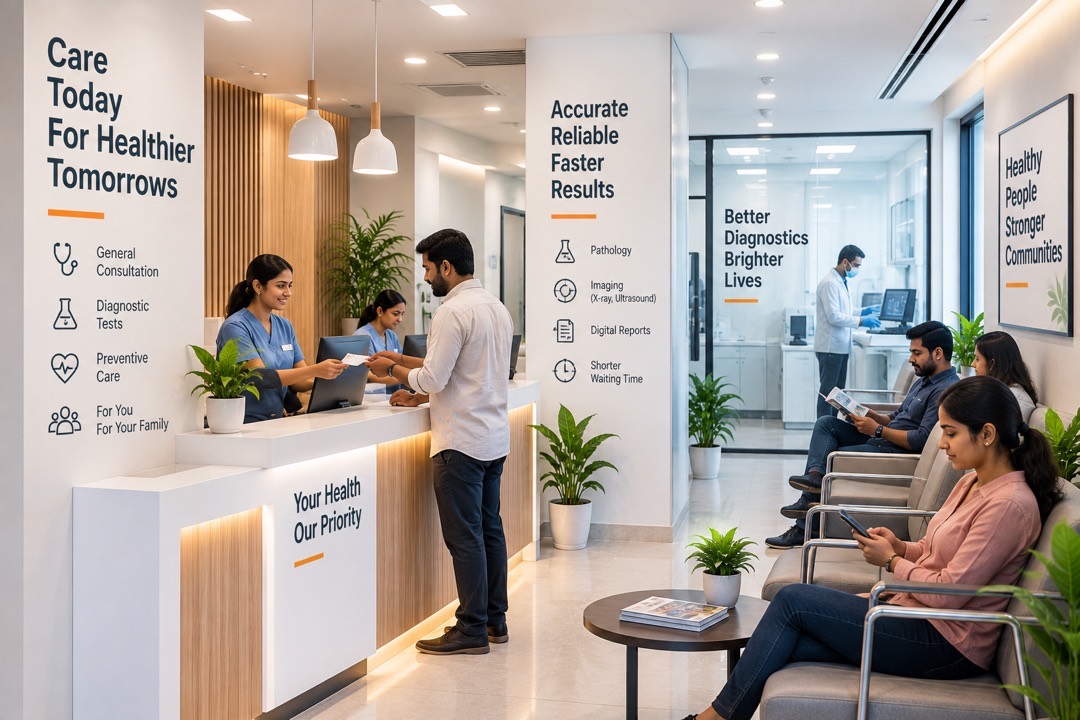
What goes wrong during OPD hours
Six things clinics tell us, and the patient in the waiting room is in most of them.
Imaging goes out to a radiologist elsewhere. On an asymmetric line that is the slowest thing the clinic does all day.
A queue in the waiting room does not pause while a connection is restored. The day just gets longer for everyone.
HMIS, ABDM and lab systems are all hosted elsewhere, so reception, billing and reporting all depend on the link being up.
A dropped video call with a patient is not the same as a dropped meeting. It has to hold for the whole consultation.
Guest wifi in the waiting room on the same network as the records machine is a risk nobody signed off.
The person who ends up restarting the router is usually the one who should be with a patient.
Sized against what leaves the building
What each requirement turns into once it is surveyed.
| What the plant needs | What we put behind it |
|---|---|
| Imaging that has to go out | Symmetric bandwidth, so the upload path is the same size as the download path, which is the direction a scan travels. |
| Records and billing through OPD | A 1:1 uncontended circuit with a 99.5% uptime SLA in writing and a 4 hr fault response target. |
| Teleconsultation that holds | Headroom reserved for sustained two-way video rather than whatever is left after the uploads. |
| Patients and records kept apart | Separate networks over one link, so waiting-room wifi never sits beside the machine holding patient data. |
| A day that cannot simply stop | A second path on a different route where the clinic runs appointments it cannot reschedule. |

Reception, lab and records on one network
What sits in the clinic, what it has to reach, and our network in between.
- Imaging and lab
- Reception and billing
- Waiting-room wifi
 Business network
- HMIS and cloud records
- Teleconsultation
- Radiologists and labs elsewhere
Multiple possibilities
- Symmetric, because imaging is upload
- Patient systems and guest wifi kept apart
- Static IPs where a device must be reachable
- 24×7 NOC monitoring on the link
Four ways to connect a clinic
A single clinic usually starts on business broadband. Imaging volume is what moves the survey towards dedicated.
Symmetric fiber sized for a working day rather than an evening of streaming.
Learn moreBandwidth that is yours alone, sized against the load rather than an average.
Learn moreA fixed address, for anything that has to be reachable from outside.
Learn moreA second path, so one cut cable is not the end of the day.
Learn moreOrganisations already on our network
91 businesses and institutions across Maharashtra run on Gazon connectivity, grouped here the way our own capability deck groups them.
























































































What a clinic’s line carries in a day
Eight things running between the first appointment and the last.
Large files, going out, with somebody waiting.
Every appointment, every prescription.
A clinical session that cannot drop.
Reports out to patients and referrers.
Small, constant and unforgiving.
Kept well away from anything clinical.
Running outside OPD hours too.
Reaching the system without being in the building.
From enquiry to a running line
Four steps, and what each one settles.
- 01Tell us the siteThe address, what the connection has to carry, and whether there is more than one location.
- 02We survey the addressHow far our fiber is from your door, and what the route to it involves. Free, and no obligation.
- 03A written quotePriced against that route rather than against an average, with the lead time and the SLA on it.
- 04Install, test, monitorWe build it, test end to end, and the link joins the 24×7 NOC.